
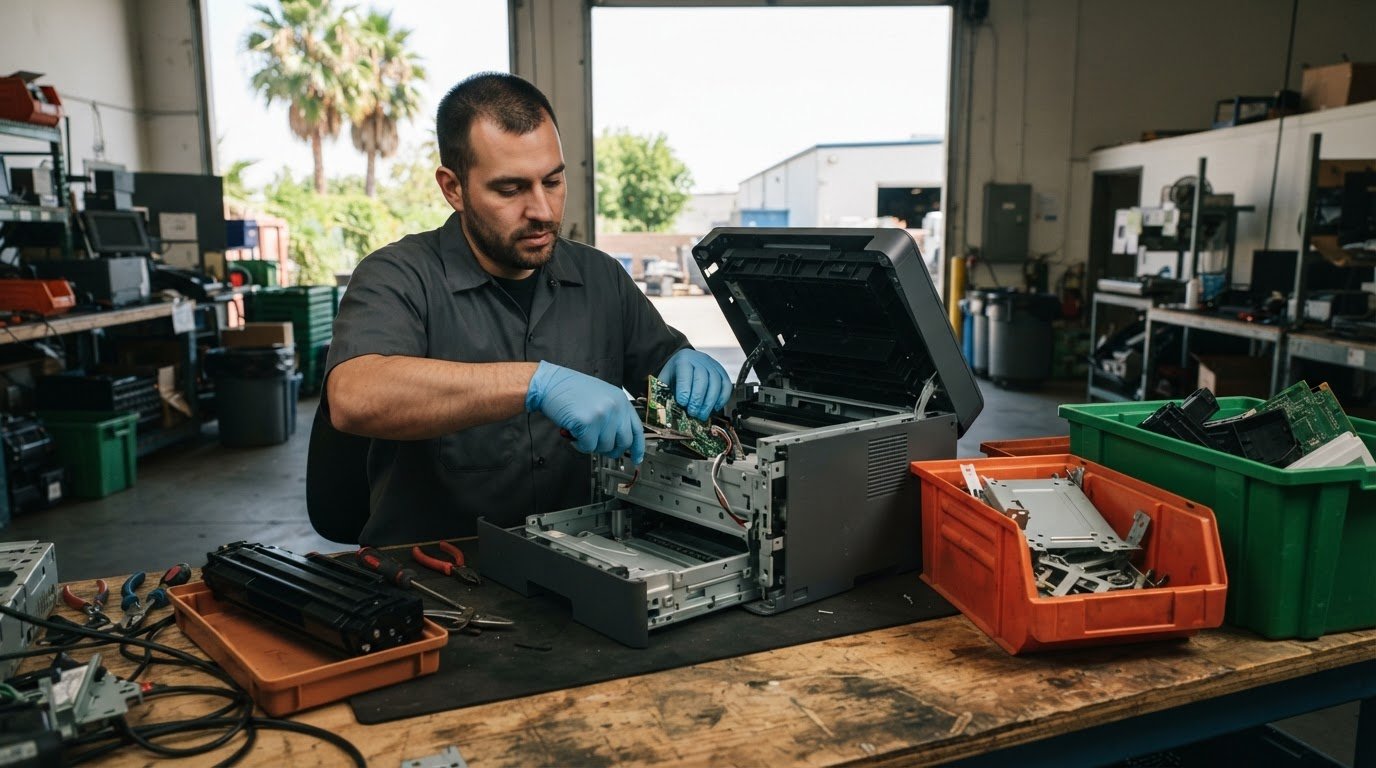
An old printer deserves a better exit than the trash. If you’re deciding how to get rid of old printers in Tustin, remove any SD card or other removable memory, reset the device to factory defaults, and take out ink or toner cartridges for separate handling. Then choose a suitable route: recycle it through an electronics recycler or manufacturer program, or donate working equipment to a local organization. These steps help protect personal information and keep reusable materials in circulation.
It can be hard to know whether an aging printer is still useful, recyclable, or ready for disposal. This guide explains how to prepare it, where to look for recycling and donation options, and what to consider if it comes with accessories or sensitive data. You’ll also learn how to find nearby e-waste drop-off information and when electronics recycling is a practical next step.
Key Takeaways
- Prepare a printer for its next step by protecting stored information and separating removable supplies.
- Find out which common computer accessories can be handled alongside a printer for recycling.
- Learn where Tustin residents can look for local e-waste drop-off and pickup information.
- See how to assess nearby recycling options and when electronics recycling can help clear out old equipment.
Preparing printers for disposal
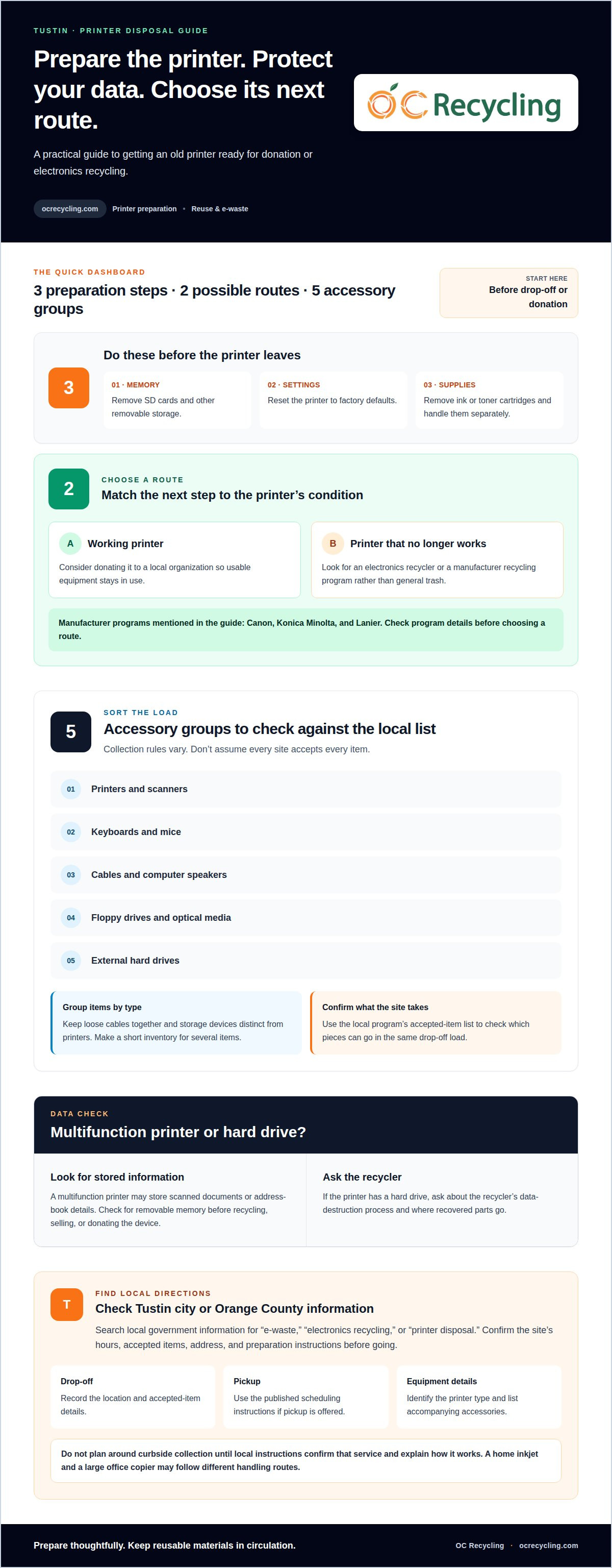
Remove ink and toner cartridges before disposing of a printer, and handle them separately. Take out SD cards or other removable memory, then reset the printer to factory defaults.
Protecting data and preparing the device
Check the printer for memory cards and other removable storage before recycling, selling, or donating it. A factory reset clears personal settings from the device. For a multifunction printer, consider whether it stores scanned documents or address-book details. If it has a hard drive, ask the electronics recycler about its data-destruction process and where recovered parts go. These steps help you prepare the machine while keeping personal information in mind.
Scheduling Local E-Waste Pickup
To find nearby e-waste drop-off locations, check Tustin city or Orange County information. For pickup, review local collection instructions to see whether the service is offered and how to schedule it. Have the printer’s type and condition ready. A home inkjet and a large office copier may follow different handling routes, so identify the equipment clearly.
Choosing Disposal and Recycling
Keep a working printer in use by donating it to a local organization. If it no longer works, look for electronics recycling rather than putting it in general trash. Canon, Konica Minolta, and Lanier have manufacturer recycling programs to consider. For a recycler, useful details include how it handles data destruction and where recovered parts go. Separate cartridges before drop-off, and keep them out of the printer. These steps help direct the machine and its supplies toward appropriate reuse or recycling routes, reducing the chance that usable components are discarded.
Printer and accessory types accepted
Printer recycling can involve more than the machine itself. Common related electronics include scanners and computer accessories used to connect or operate equipment. Before sorting, separate the main device from loose accessories. This makes it easier to identify each item and match it with an e-waste collection list.
For example, a home printer may be stored with a keyboard, mouse, cables, or computer speakers. Office equipment may sit beside scanners or external hard drives. Keep these items together for sorting, but don’t assume every collection accepts every device. Use the local program’s accepted-item list to see which pieces belong in the same drop-off load.
- Printers and scanners
- Keyboards and mice
- Cables and computer speakers
- Floppy drives and optical media
- External hard drives
Separate items by type before packing them. Put loose cables together and keep storage devices distinct from printers. This simple sorting step helps prevent small accessories from being overlooked when equipment is unloaded. If you have several devices, make a short inventory, such as one printer, one scanner, and two external drives.
Condition can also shape the next step. A working printer may suit donation, while damaged equipment is more likely to need recycling. Keep the accessories with the device only when they are part of the same intended donation or collection. Otherwise, group each item by category. This gives you a clear view of what you’re disposing of and helps you describe the load accurately when reviewing local drop-off information.
Include older formats, too. Floppy drives and optical media can be easy to miss when clearing a desk or storage shelf. Gather them with other computer peripherals rather than leaving them mixed with ordinary household discards. A complete inventory of the printer, scanner, cables, and other accessories makes recycling more organized.
Does Tustin offer printer or e-waste pickup, and how do residents schedule it?
For Tustin residents, city hall or a local city or county website is the place to find nearby e-waste drop-off information. These local sources can also show whether printer pickup is available and explain how to arrange it. Don’t plan around curbside collection until you find instructions for that service.
Search local government information for “e-waste,” “electronics recycling,” or “printer disposal.” If a listing describes a drop-off location, note its address, accepted equipment, and preparation instructions. If it describes pickup, follow the scheduling steps and collection requirements. A listing for general electronics may include printers, but use its accepted-item details to guide your plans.
Before scheduling, identify the equipment you want collected. Describe whether you have a compact home printer or a larger office machine, and list any accompanying scanner or computer accessories. This helps you compare your items with the local program’s instructions. Keep pickup and drop-off directions separate, since a collection service may use different procedures from a receiving site.
- Search Tustin city or county pages for e-waste information.
- Record the location and accepted-item details for a drop-off.
- For a listed pickup option, follow its scheduling instructions.
- Keep the printer’s model or type and accessory list handy.
If local government information doesn’t provide a pickup route, use its nearby drop-off details to plan your next step. For one home printer, drop-off may be simpler than arranging collection. For a larger office clear-out, make an item list first, then follow the published instructions that match your equipment and collection method. This keeps the process grounded in local directions rather than assumptions about curbside service.
What are the hours and accepted items at Tustin-area e-waste recycling centers?
Hours and accepted-item lists depend on the specific e-waste site. If you’re deciding how to get rid of old printers in Tustin, check the chosen location’s posted schedule before loading your printer. General business hours may differ from electronics drop-off hours, so follow the site’s receiving instructions.
Check whether the location accepts printers and the accessories you’re bringing. Common recyclable peripherals include keyboards, cables, mice, computer speakers, scanners, floppy drives, optical media, and external hard drives. To plan how to get rid of old printers in Tustin, match each item to the site’s accepted-items list before setting out.
Make a short inventory before your visit. For example, note one printer, one scanner, and any loose cables or storage devices. Keep the printer separate from accessories if the site sorts equipment by type. Local city and county information can help identify nearby drop-off locations and their instructions.
- Find the chosen site’s posted opening and electronics drop-off hours.
- Match each item, such as a scanner or external drive, to its accepted-items list.
- Separate the printer from loose peripherals for easier sorting.
For a visit with several devices, organize the load around the site’s listed categories. A printer, keyboard, and external hard drive are distinct items, even when they come from the same desk. Clear sorting helps you follow receiving directions and avoid bringing items the location does not accept.
For electronics that need a recycling route, explore electronics recycling as a practical next step.
Hours and accepted items vary by site, and electronics drop-off hours may differ from general business hours. Check the chosen center’s posted schedule and accepted-items list. Commonly recyclable items include keyboards, cables, mice, computer speakers, scanners, floppy drives, optical media, and external hard drives. Confirm printer acceptance with the site.
OC Recycling
OC Recycling provides electronics recycling for printers and related equipment from homes and workplaces. If a printer holds sensitive business information, OC Recycling also offers Certified Product Destruction for secure disposal of the device. Choose recycling to recover materials, or destruction when secure handling of a product containing confidential information is the priority.
For a mixed clear-out, sorting printers from other recyclable materials can help identify the right next step. OC Recycling also purchases scrap metal and offers CRV redemption, which may help when you’re clearing more than electronic equipment. Contact OC Recycling to discuss your printer and other recyclable materials.
Choose a clear next step for your printer
An old printer can be more than clutter once you decide what outcome makes sense. Consider whether the device still serves a purpose, whether it contains information that needs careful handling, and whether you’re clearing one item or a whole workspace. Those priorities can guide your choice without turning disposal into a rushed decision.
Knowing how to get rid of old printers in Tustin starts with choosing a route that fits your situation. For electronics recycling, OC Recycling provides a local option, while CRV Redemption and Scrap Metal Purchasing can help with other recyclable materials in the same cleanout. Keeping the decision focused on the equipment and your intended outcome makes the next step easier to manage.
Ready to move forward? Contact OC Recycling to discuss your recycling needs. A considered choice today can help you clear space and move on with confidence.
Frequently Asked Questions
What to do with an old printer?
Decide whether the printer can be reused, recycled, or needs secure product destruction. A working printer may suit donation to a local school or nonprofit, while a broken unit can go through electronics recycling. If it held business information, include data security in your decision. The right next step depends on the printer’s condition and how it was used.
Where can Tustin residents recycle or dispose of old printers?
Tustin residents can use local city or county information to find e-waste drop-off locations, or bring electronics to OC Recycling. For business equipment containing sensitive information, OC Recycling offers Data Destruction and Certified Product Destruction. These services address different needs: recycling recovers materials, while destruction is for situations where secure handling is the priority.
What are the Tustin and Orange County rules for disposing of electronic waste?
For local disposal instructions, use Tustin city or Orange County information about e-waste collection and drop-off. Directions depend on the local program and the items it accepts. Don’t assume ordinary trash collection is the right route for a printer. Check the local guidance for your equipment, then follow the disposal method it describes.
Where are the nearest printer recycling drop-off locations in Tustin?
OC Recycling lists Orange County drop-off locations in Santa Ana, Orange, Costa Mesa, and Huntington Beach. Its Santa Ana location is at 1601 E Edinger Ave, Santa Ana, CA 92705. To choose a convenient destination from Tustin, compare the listed addresses with your starting point and travel plans. Local city or county information can also point to nearby e-waste drop-off options.
Do retailers near Tustin accept old printers for recycling or trade-in?
Some retailers have electronics recycling or trade-in programs, but accepted products and participation can vary by store and program. Review the retailer’s current local details before taking a printer there. A trade-in is different from recycling, and an older or nonworking device may not qualify. If a retailer’s program doesn’t fit, consider an electronics recycling drop-off.
Can a working printer be donated or reused in Tustin, and where?
Yes, a working printer may be useful to a local school, nonprofit, or community organization. Contact the organization through its usual public channels and describe the printer’s condition, model, and included accessories. A printer with missing parts or unreliable operation may be less suitable for reuse. Before passing it on, remove stored information and prepare the device so the next user can assess it.