
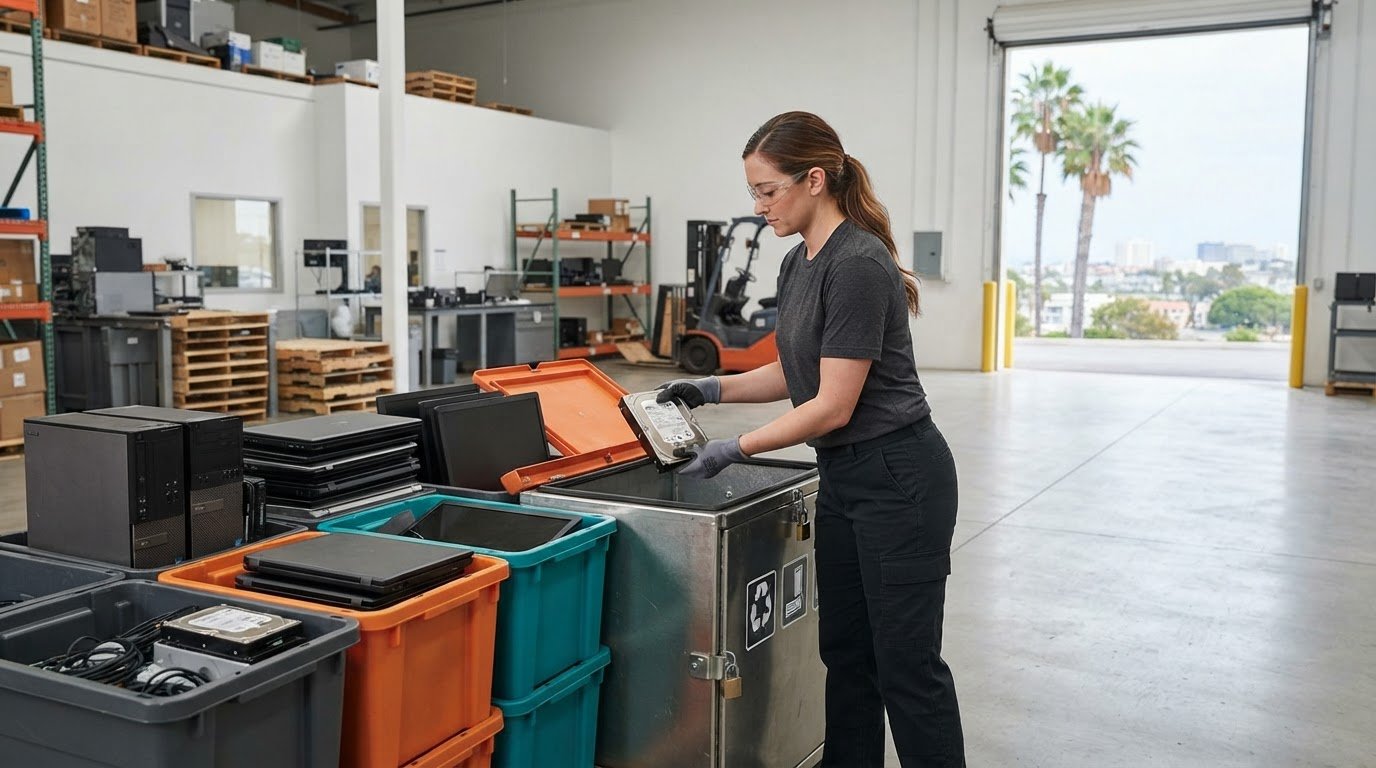
In Huntington Beach, computers and monitors should not go in the trash. Businesses disposing of old office computers in Huntington Beach need an electronics recycling route, since household hazardous waste centers in Orange County do not accept business waste.
Clearing out outdated computers may seem like a simple cleanup task, but choosing the right destination matters. You want to retire equipment responsibly, keep the process organized, and protect any information stored on the devices.
This guide covers options for recycling office computers, what to prepare beforehand, and how data destruction fits into a secure retirement process. It also explains what can affect pickup costs and how to plan a business electronics collection in Huntington Beach.
Key Takeaways
- Plan for business-specific recycling rather than assuming household collection options accept office equipment.
- Sort desktops, laptops, and workstations before arranging recycling, and group equipment details to streamline the process.
- Protect information by treating data destruction as a separate step in retiring computers and storage devices.
- Learn how OC Recycling’s electronics recycling and certified product destruction can support an organized equipment retirement.
What is the E-waste Recycling Service in Huntington Beach?
For Huntington Beach businesses, electronics recycling provides a route for computers and other devices outside household collection services. The right option depends on whether the equipment comes from a business or a residence.
Local Recycling Restrictions and Fees
The Orange County Household Hazardous Waste Collection Center in Huntington Beach does not accept waste from businesses, churches, schools, nonprofits, government agencies, or residents outside Orange County. Its collection center is at 17121 Nichols Street, Huntington Beach, California 92647, and serves eligible residential drop-offs. Fees vary by recycling route and the equipment handled, so distinguish business service arrangements from household collection before planning a load.
Haul-Away Recycling Services
For businesses disposing of old office computers in Huntington Beach, pickup can bring equipment together at the workplace before transport for recycling. Group desktops, laptops, and monitors, then note the equipment types and approximate volume when arranging collection. This helps plan for the load and handling needs. Keep business electronics separate from household hazardous waste drop-offs, which exclude business waste.
Recycling and Processing Timelines
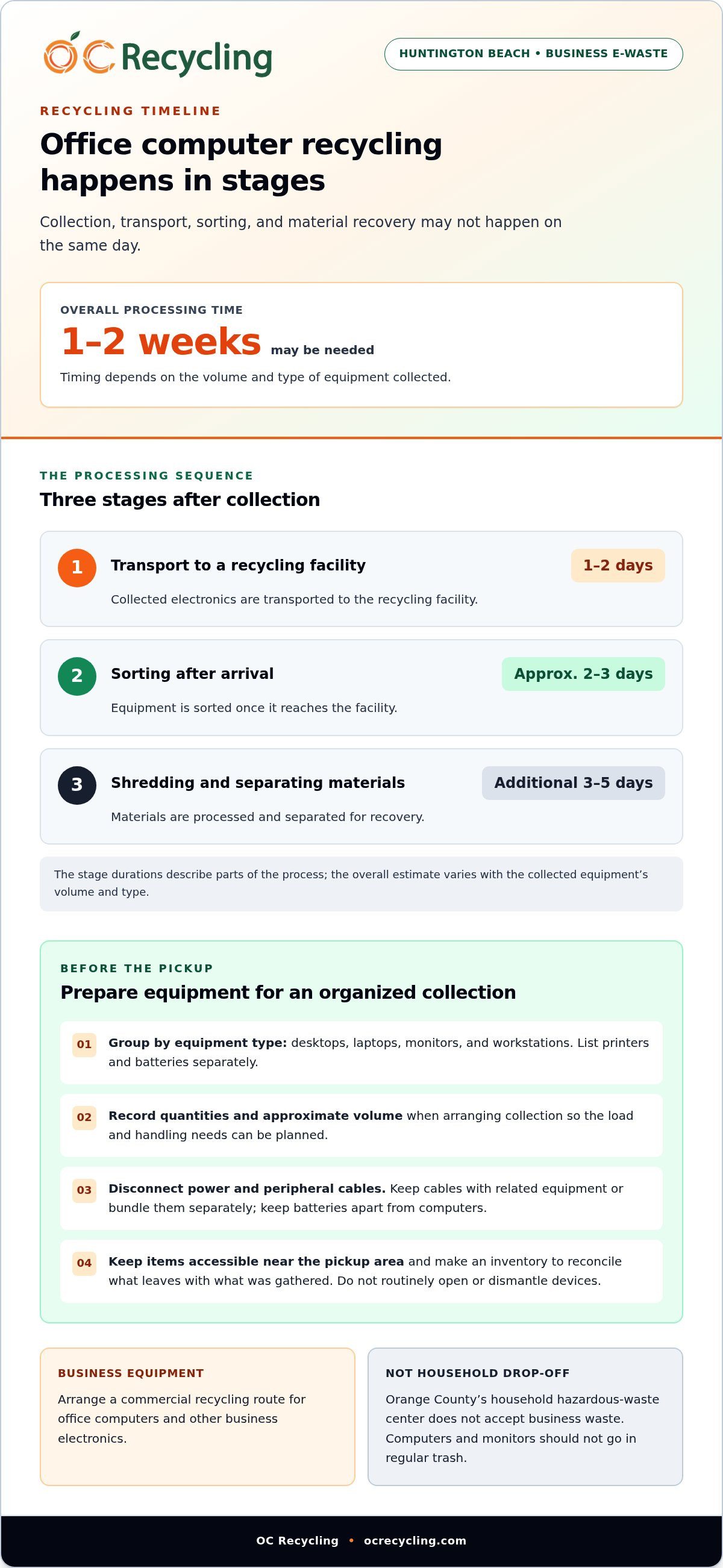
E-waste recycling in Huntington Beach may take 1 to 2 weeks, depending on the volume and type collected. Transport to a recycling facility takes 1-2 days; sorting after arrival takes approximately 2-3 days. Shredding and separating materials can require an additional 3-5 days. These stages explain why collection, transport, sorting, and material recovery may not happen on the same day.
Certified Electronics Recycling and Residential Resources
Certification and recycling describe different process details: recycling recovers usable materials, while certified product destruction concerns documented destruction. For residential drop-offs, the Huntington Beach center is open 9:00 a.m. to 3:00 p.m., Tuesday through Saturday, and uses Gate 6. It closes on major holidays and during rainy weather. Donors bringing five (5) or more electronics items must provide their full name, full address, and phone number. Orange County residents can contact their city recycling coordinator about additional household options.
Can a Huntington Beach business throw old electronics in the trash?
No. Huntington Beach classifies computers and monitors as household hazardous material, and they shouldn’t go in regular trash. Businesses need a recycling route designed for commercial equipment.
Business Electronics Pickup
Business pickup transports equipment from your workplace for recycling, instead of using a household drop-off route. Before arranging collection, group equipment by type and estimate the quantity. Desktops, monitors, and workstations can take up different amounts of space. Keep items accessible near the pickup area, and make an inventory so staff can reconcile what leaves the building with what was gathered.
Accepted Business Electronics
Desktops, laptops, and workstations are accepted business computer equipment for recycling. Separate them from other electronics, such as printers, and list each item type when arranging recycling. Do not assume every device follows the same processing path. Clear descriptions help distinguish complete computers from accessories and support appropriate sorting.
Preparing Equipment for Recycling
For computers and monitors, record quantities, label groups by equipment type, and disconnect power and peripheral cables. Keep cables with related equipment or bundle them separately. List printers and batteries separately, and keep batteries apart from computers to make identification easier. Do not open devices or dismantle components as routine preparation. This gives the recycling team a clearer picture of the materials collected.
Business Disposal Rules and Options
The City of Huntington Beach treats computers and monitors as household hazardous material, while most California electronics fall under hazardous or universal waste classifications and cannot go in regular trash. Orange County’s household hazardous-waste center excludes business waste, so it isn’t a business drop-off option. The center also doesn’t provide businesses with free drop-off or collection. Arrange a commercial recycling route instead, and keep equipment out of street-side household bins. For a business-focused route, explore electronics recycling options.
IT asset disposition and secure data destruction
Before computers leave your control, decide how information on each storage device will be handled. California data protection laws require personal information to be securely destroyed at the end of its life.
Chain of Custody
A chain-of-custody record tracks devices from your office through final processing. Start with an inventory of asset tags, serial numbers, and assigned departments. At each handoff, record the date, recipient, and equipment transferred. Reconcile the inventory with the collection record before completing the retirement process. For Orange County businesses, this creates a clear trail for internal audits and helps identify a missing device quickly.
Erasing or Destroying Computer Data
How should a business securely erase or destroy data on old computers before recycling? Identify every device that stores information, including desktops, laptops, and removable drives. Use a documented erasure process for equipment intended for reuse; physically destroy storage media when secure erasure is not suitable. Keep devices containing personal information separate from cleared equipment until their data has been handled. Treat damaged drives as information-bearing, not ordinary scrap.
When selecting a data-destruction method, businesses are advised to look for processes following NIST 800-88 or DoD 5220.22-M. These references help define expectations for media sanitization; they aren’t interchangeable with a pickup receipt. Keep the selected method and completion records with the asset inventory. That connects each retired device with the action taken on its data.
Product destruction addresses physical devices or media that must be rendered unusable, while data destruction focuses on the information stored on them. A computer may be recycled after its data is removed, but storage media still needs separate handling if it contains recoverable information. Decide which service applies before collection and note it in the equipment list.
Finally, keep the inventory, transfer record, and destruction documentation together. Clearly flag devices containing confidential files for the staff preparing the equipment. Keep hazardous waste streams separate from electronics and data-bearing components. This organized IT asset retirement process helps your team account for equipment and information at each stage.
Accepted office computers and IT equipment
Sorting equipment by type helps organize collection and identify which devices need a separate decision. For business recycling, accepted computer equipment includes desktops, laptops, and workstations.
Build an inventory before moving equipment. Record each computer type, its asset tag, and whether it appears complete or damaged. List monitors, printers, keyboards, cables, and batteries separately rather than counting them as computers. This gives your team a clear view of the collection and helps avoid mixing items with different handling needs.
- Group desktops and workstations together, and note missing parts.
- List laptops separately, including their power adapters when available.
- Record monitors, printers, and accessories as distinct equipment types.
- Set aside batteries so staff can identify them during sorting.
Can old office computers be donated or refurbished in Huntington Beach, and what condition requirements apply? Functional devices may be suitable for reuse, while equipment that will not start, has damaged components, or lacks essential parts is better evaluated for recycling. Separate potential reuse items from damaged units and remove stored business data before either route.
Condition affects the next step. A laptop that starts and has a working screen is different from one with a broken display or missing storage drive. Note these differences in the inventory instead of labeling every device simply “working” or “old.” That detail helps staff distinguish possible reuse candidates from equipment intended for material recovery.
Keep the collection area organized by category, with complete computers apart from loose accessories. Match each group to the inventory before it leaves the office. If a device contains a storage drive, follow your data-handling process before recycling. These steps help maintain a clear record of the equipment your business is retiring.
Prepare a concise equipment list to guide the next stage. Plan your office equipment recycling around the computer types, condition notes, and separate accessory groups.
OC Recycling: CRV Redemption
OC Recycling provides Electronics Recycling for businesses retiring office computers and other electronic equipment. For devices with stored information, its Data Destruction and Certified Product Destruction services address the separate need to destroy data or products as part of retirement planning.
CRV Redemption serves a different purpose: it is for eligible CRV containers, not computers. Keep those materials separate from office electronics so each follows the appropriate recycling route. Scrap Metal Purchasing may also suit a business with scrap metal alongside its equipment, but it is distinct from computer recycling.
If your Huntington Beach business is planning an electronics collection or product destruction, contact OC Recycling to discuss its services.
Make Your Equipment Retirement Plan Actionable
Retiring office technology is also an opportunity to improve how your workplace handles equipment at the end of its useful life. A straightforward internal process helps teams identify devices, protect information, and direct each material to an appropriate next step. That makes disposing of old office computers in Huntington Beach easier to manage as part of routine workplace planning, rather than a last-minute clearance task.
OC Recycling offers Electronics Recycling for retired computers, Scrap Metal Purchasing for eligible scrap metal, and CRV Redemption for eligible beverage containers. These are distinct services, so group materials by type when planning what to recycle.
Ready to move forward with a practical e-waste plan? Contact OC Recycling about e-waste and take the next step toward a more organized equipment retirement.
Frequently Asked Questions
Where can I recycle old office computers in Huntington Beach, CA?
Businesses need a commercial electronics-recycling route rather than a household hazardous-waste drop-off. OC Recycling accepts business electronics through its Electronics Recycling service at 7632 Slater Ave, Huntington Beach, CA 92647. For a practical handoff, prepare an equipment inventory and separate computers from other recyclable materials. This option is relevant to businesses in Huntington Beach and nearby Orange County communities.
Which Orange County e-waste recyclers accept office computers from businesses?
OC Recycling accepts business electronics through its Electronics Recycling service. Its local coverage includes Huntington Beach, Santa Ana, Anaheim, Costa Mesa, Orange, Irvine, Garden Grove, Westminster, Fountain Valley, and Tustin. For an office clearout, group computers by type and note any other electronics in the load. This inventory gives the recycling team a useful starting point for organizing commercial equipment.
How much does commercial computer recycling or e-waste pickup cost near Huntington Beach?
There isn’t one fixed pickup price for every business load. OC Recycling’s pickup service may incur a charge, with the amount depending on the material type and quantity. To support a quote request, prepare an itemized list that distinguishes computers, monitors, and other equipment. Include the size of the load and whether it contains additional recyclable materials, such as scrap metal.
Do local computer recyclers offer pickup for bulk office equipment, and what are the minimum quantities?
OC Recycling offers pickup for business recycling, and a charge may depend on the items and quantity. For a bulk retirement, prepare an inventory showing equipment types, counts, and any mixed materials. This helps describe the job clearly and supports pickup planning. Do not assume that “bulk” alone determines the arrangements; the actual equipment and overall load matter.
What fines or environmental risks apply to putting computers in regular trash in California?
Huntington Beach classifies computers and monitors as household hazardous material that may not go in regular trash; most California electronics are hazardous or universal waste. Don’t treat ordinary disposal as an acceptable route. Keeping electronics out of regular trash helps prevent hazardous materials from entering the landfill stream. Use a dedicated recycling channel and retain an equipment record for your business.